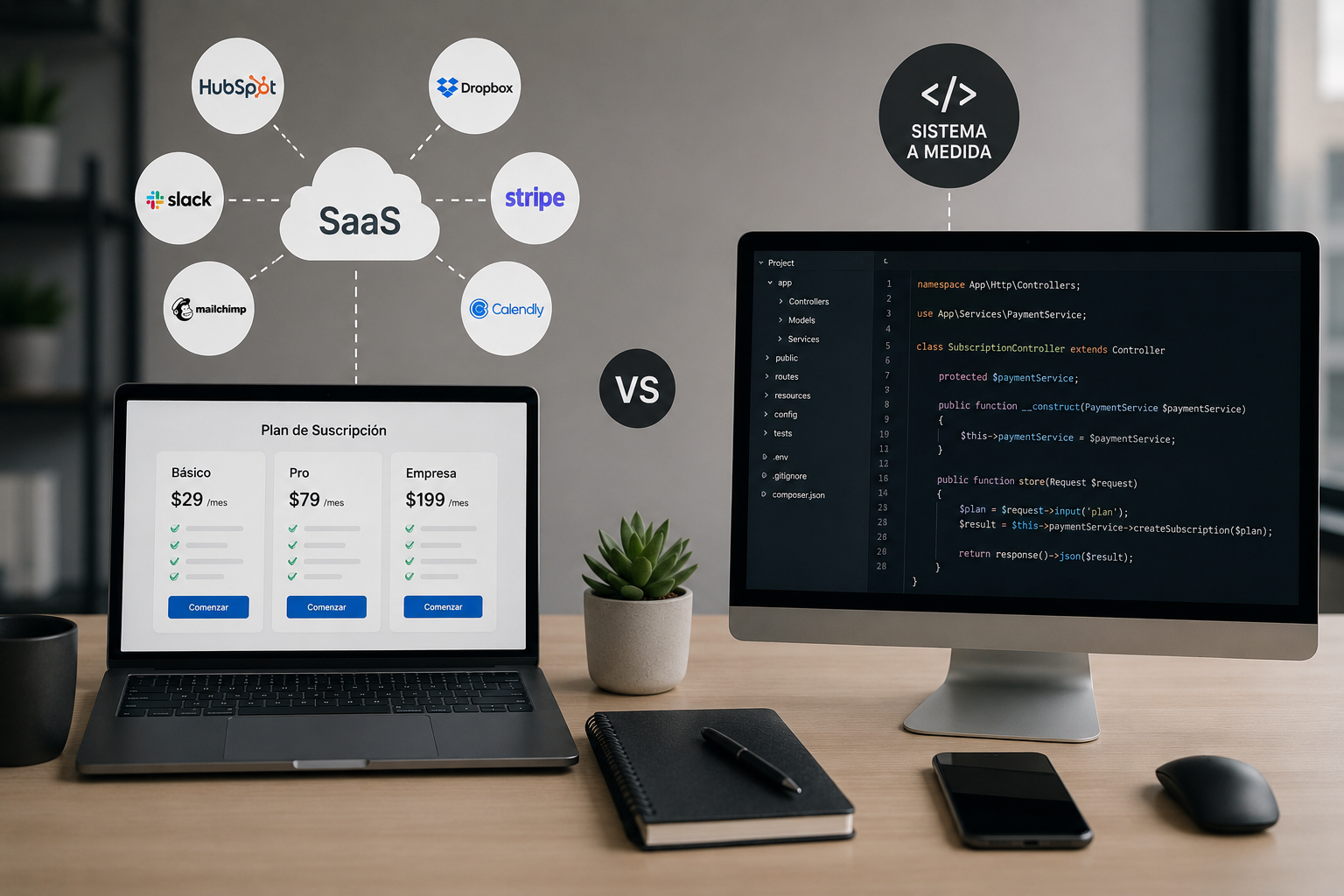
A Custom SaaS is a cloud software platform built around a specific business model, market, or workflow. Unlike an off-the-shelf tool, it does not force a company to adapt its operations to the software. The product is designed around its users, rules, and goals.
It may serve hundreds of paying customers or operate as a private platform through which a company delivers a service. In both cases, its features, integrations, and data model address a particular need.
Not every business needs to build one. However, when a unique workflow creates value, existing tools fall short, or the software itself is the product being sold, Custom SaaS development can become a meaningful competitive advantage.
What does Custom SaaS mean?
SaaS stands for Software as a Service. Users access the product online while the provider manages its infrastructure, updates, security, and availability.
The word *custom* means that the platform was designed for a specific use case instead of a broad, generic audience. A Custom SaaS commonly includes:
The difference goes far beyond branding or interface design. It lies in how accurately the system represents the business behind it.
Custom SaaS vs. off-the-shelf SaaS
| Area | Off-the-shelf SaaS | Custom SaaS |
|---|---|---|
| Setup | Immediate | Requires product design and development |
| Initial investment | Low | Medium or high |
| Customization | Limited by the vendor | Designed around the business |
| Source code | Owned by the vendor | Can be owned by the client |
| Integrations | Limited to available options | Built as required |
| Product scalability | Depends on vendor plans | Planned around the roadmap |
| Differentiation | Low | Can become a competitive advantage |
Buying an existing SaaS is the right choice when the problem is standard. Building another email marketing, video meeting, or task management tool rarely makes sense if a mature product already meets the need.
Custom development becomes valuable when the product's core rules cannot fit into generic software without costly workarounds.
When should you build a Custom SaaS?
The software is your product
If customers will pay to use a platform, its behavior is part of your value proposition. You need control over the roadmap, data, customer experience, and pricing model.
Your operation follows unique rules
Some businesses rely on complex quotes, automated assignments, traceability, industry documents, or specialized permissions. Forcing those processes into a generic product usually creates manual work and errors.
Your team uses too many disconnected tools
Spreadsheets, forms, a CRM, automation platforms, and messaging apps may be enough to validate a concept. As volume grows, maintaining those connections becomes fragile and expensive. A Custom SaaS can centralize the critical workflow without replacing every external tool.
Customer experience sets you apart
A specialized portal, thoughtful onboarding, or automation that turns days of work into minutes can give customers a concrete reason to choose your product.
You need control over data, security, or integrations
Industries handling sensitive information or specific operational requirements may need detailed permissions, audit trails, retention policies, and integrations that mass-market software cannot provide.
When is custom development the wrong choice?
Building from scratch is not always the answer. Existing tools are probably a better starting point when:
A prototype, landing page, or manually assisted service can test demand before a major investment. Our guide to validating an app idea explains how to reduce that risk.
Essential components of a custom SaaS platform
Multi-tenant architecture
Multi-tenancy enables many customers to use one application while keeping their data separate. Whether to use shared tables, separate schemas, or isolated instances depends on security, cost, and expected scale.
Authentication, roles, and permissions
Login is only the beginning. The product must define who can view, create, edit, approve, or export each resource within customer accounts and the platform's central administration.
Subscriptions and access control
Plans, trials, limits, payments, and account status need to control real access to product features. Failed payments, upgrades, cancellations, and applicable taxes also belong in the design.
Onboarding and activation
New accounts do not create value by themselves. Effective onboarding guides initial setup, tracks meaningful steps, and helps users complete the product's core action as quickly as possible.
Administration and observability
Operators need to inspect accounts, activity, errors, billing, and metrics without querying a database. Logs, alerts, backups, and monitoring should be part of the MVP plan.
APIs and integrations
Payments, email, analytics, electronic signatures, and internal systems often support the core workflow. Each integration should be assessed for stability, limits, security, and cost-not only how easy its API is to connect.
How to build a Custom SaaS
1. Define the problem and customer
Before selecting a technology stack, determine which problem the product solves, for whom, and why they would pay. A precise definition prevents the MVP from becoming an endless feature list.
2. Design the account model
Define organizations, users, roles, plans, and data relationships. These decisions affect almost every feature and become expensive to change after customers are active.
3. Prioritize the MVP
The MVP should cover the complete path to a valuable result. It can be small, but it must work from end to end: registration, setup, core action, and system response.
4. Prototype the experience
Wireframes and interactive prototypes validate navigation and scope before engineering begins. They also align business, design, and development teams on what will be built.
5. Build a secure foundation
The first release needs input validation, permission controls, data isolation, backups, and reliable error handling. Security and scalability do not require an oversized architecture. They require avoiding decisions that prevent future growth.
6. Launch, measure, and iterate
After launch, track activation, usage, churn, support requests, and conversion. The roadmap should evolve with user evidence rather than internal assumptions alone.
How much does Custom SaaS development cost?
There is no universal price. Cost depends on workflow complexity, user roles, integrations, design requirements, security, and how clearly the initial scope is defined.
A focused MVP requires much less work than a platform with several user portals, international payments, advanced analytics, and mobile apps. Comparing quotes by screen count can be misleading because business rules, permissions, and integrations hold much of the complexity.
Initial development is not the only cost. Infrastructure, monitoring, customer support, bug fixes, and ongoing product work need a budget as well. See our detailed guide to SaaS development costs for the main variables and realistic ranges.
How to choose a Custom SaaS development team
A strong partner should do more than accept a feature list. They should challenge priorities, identify risk, and translate the business model into sound product decisions.
Before hiring, ask:
The goal is not to purchase the largest number of development hours. It is to build the smallest complete version that creates learning and can grow without replacing its foundation.
Conclusion
A Custom SaaS turns specialized processes and knowledge into a scalable digital product. It makes sense when unique business logic, customer experience, or product control creates an advantage that standard software cannot deliver.
The right place to start is not the tech stack. Validate the problem, define accounts and permissions, prioritize a complete MVP, and work with a team that understands both business and architecture.
At Nebula Solutions, we design and build custom SaaS platforms from MVP definition through launch and continuous product development. Tell us about your idea and let us evaluate the right path.
Partager

Écrit par
Ana Olivia Todesco
CEO @ Nebula Solutions