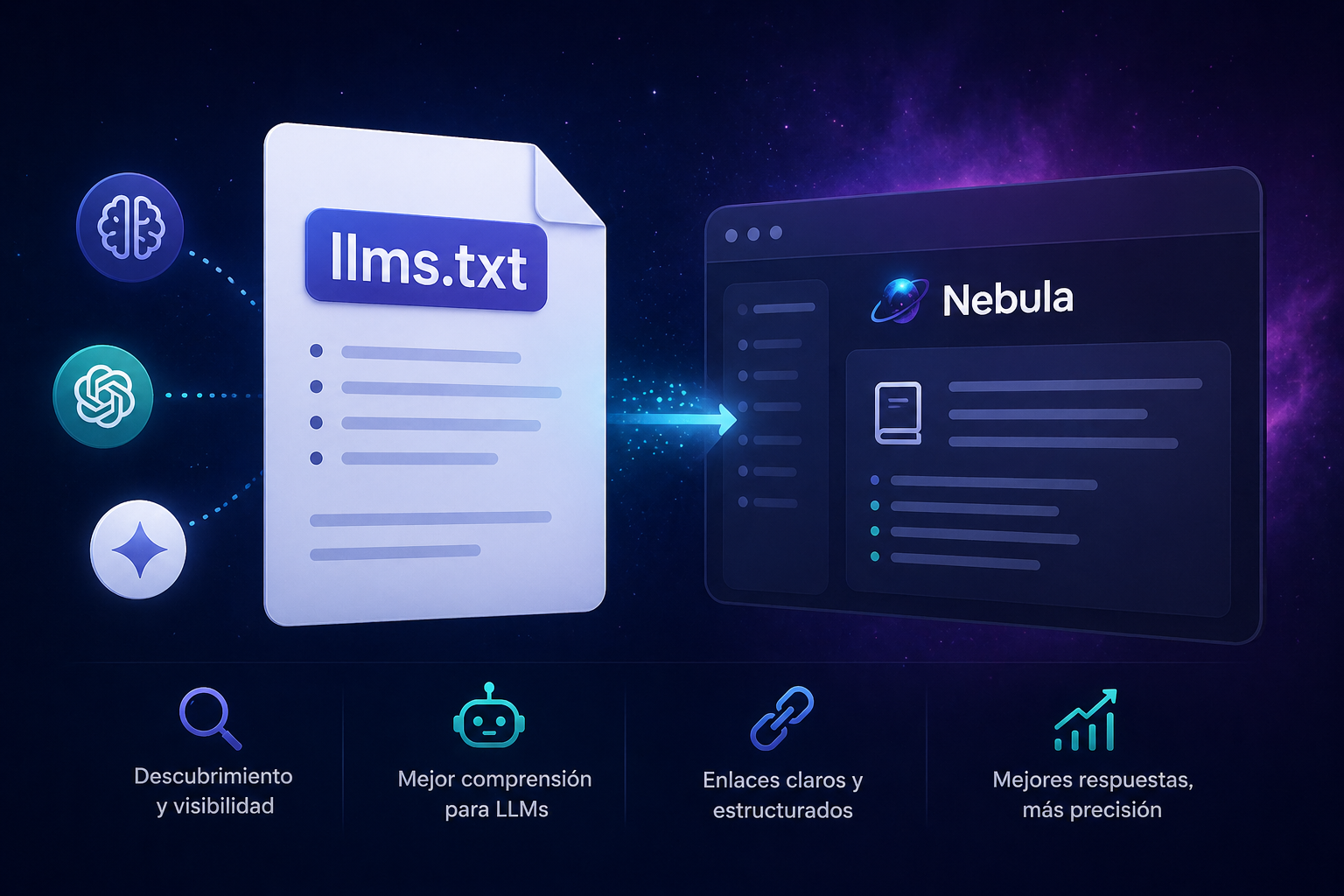
If you follow the web development world, you've already heard about SEO for search engines like Google. But there's a new layer of digital visibility taking shape: visibility to language models - the same ones that power ChatGPT, Claude, Perplexity, and code assistants.
And there's an emerging standard that's starting to define how that works: llms.txt.
What is llms.txt?
It's a proposal by Jeremy Howard (creator of fast.ai) published in September 2024. The idea is simple: just as `robots.txt` tells search engine crawlers what they can index, and `sitemap.xml` shows them the site structure, `llms.txt` tells language models what's on your site and how to understand it.
The file lives at the root of the domain: `https://yourdomain.com/llms.txt`.
It's a Markdown file with a specific structure:
# Project or site name

> Short description with key information

Additional information about the context

## Links section

- [Link name](https://url): Optional description

## Optional

- [Secondary link](https://url): Complementary information (can be omitted in short context)
The only required field is the H1 with the name. Everything else is optional but incrementally useful for models.
Why does it matter?
Language models have a structural problem: their context windows are finite. They can't read an entire website in a single interaction. And converting HTML with navigation, scripts, ads, and styles to useful plain text is difficult and imprecise.
llms.txt solves that by giving models a curated, compact, and readable entry point that answers the question: "what is this site about and where do I find specific information?"
Concrete use cases:
With the proliferation of AI agents browsing the web to answer questions, llms.txt becomes a positioning channel that isn't saturated yet.
How to implement it in Next.js (App Router)
The cleanest way in Next.js 13+ with App Router is to create a Route Handler that generates the content dynamically.
Step 1: Create the route file
Create the file `app/llms.txt/route.ts`:
export async function GET() {
  const content = `# Your Site

> Brief and precise description of the site.

## Services

- [Service 1](https://yourdomain.com/services/service-1): What this service solves
- [Service 2](https://yourdomain.com/services/service-2): What this service solves

## Blog

- [Article 1](https://yourdomain.com/blog/article-1): What it's about
`;

  return new Response(content, {
    headers: {
      'Content-Type': 'text/plain; charset=utf-8',
      'Cache-Control': 'public, max-age=86400',
    },
  });
}
With this, `https://yourdomain.com/llms.txt` returns the file in plain text.
Step 2: Generate it dynamically from your data
If your site has structured data (blog posts, projects, services), you can generate them dynamically so the `llms.txt` is always up to date:
import { BLOG_POSTS } from '../lib/blog';
import { SERVICE_CATALOG } from '../lib/services';

export async function GET() {
  const baseUrl = 'https://yourdomain.com';

  const serviceLinks = SERVICE_CATALOG.map(
    (s) => `- [${s.name}](${baseUrl}/services/${s.slug}): ${s.description}`
  ).join('\n');

  const blogLinks = BLOG_POSTS.slice(0, 10)
    .map((p) => `- [${p.title}](${baseUrl}/blog/${p.slug}): ${p.description}`)
    .join('\n');

  const content = `# My Site

> Site description.

## Services

${serviceLinks}

## Blog

${blogLinks}
`;

  return new Response(content, {
    headers: {
      'Content-Type': 'text/plain; charset=utf-8',
      'Cache-Control': 'public, max-age=86400',
    },
  });
}
Every time you add a new post or service, the `llms.txt` updates automatically without touching anything.
Step 3: Verify it works
Go to `https://yourdomain.com/llms.txt` in the browser. You should see the plain Markdown without any HTML around it.
Best practices for writing a good llms.txt
Be specific in the H1 and blockquote. The model uses that first section to understand the context of everything that follows. If it's vague, the model will make wrong inferences.
Order links by importance. What comes first is most likely to be read. If you have services and a blog, put services first if you want the model to understand what you do.
Use the Optional section for secondary content. Everything under the "Optional" H2 can be omitted if the model's context is limited. Use it for complementary but non-essential information.
Include descriptions in links. The difference between `- Landing Pages` and `- Landing Pages: Pages designed to convert traffic into inquiries` is huge for a model that needs to decide whether that link is relevant to the question being asked.
Keep it concise. The file needs to be complete enough to understand the site, but short enough to fit in context. Between 200 and 800 words is a good reference.
The complementary section: .md pages
The llms.txt proposal also includes the idea of serving Markdown versions of each page at the same URL with a `.md` extension. For example:
This allows AI agents to load the content of a specific page in a readable format without having to parse the HTML. In Next.js, it can be implemented with route handlers for each content type.
Where to register your llms.txt
Directories already exist that index sites with llms.txt:
Registering your site in these directories today, while the ecosystem is small, has the same logic as being on Google My Business when it was new: low effort, disproportionate visibility.
We implemented it on this site
Nebula Solutions has its `llms.txt` at nebulasolutions.com.ar/llms.txt. We generate it dynamically from the service catalog and blog posts.
We don't know yet what the measurable impact will be. What we do know is that the standard has real traction - tools like Cursor, Perplexity, and several AI agents already support it or are adopting it.
The cost of implementing it is a few hours. The visibility potential when AI agents become a relevant discovery channel is much greater.
Want us to implement it on your site?
If you have a site in Next.js and want to add `llms.txt`, advanced technical SEO, or simply improve digital positioning, schedule a free diagnostic.
We'll review it in 30 minutes and tell you exactly what to do.
Share

Written by
Ana Olivia Todesco
CEO @ Nebula Solutions
We build this at Nebula